
Many small legal and Latino-owned businesses lose clients every week simply because their website fails to show up, load fast, or convince visitors to take action. That’s not a design problem. It’s a strategy problem. A high-performance WordPress website built with clear goals, the right tools, and ongoing care can become your best salesperson. Whether you run a solo immigration law practice or a family-owned service business serving the Latino community, this guide walks you through every step to build a site that actually wins clients.
Table of Contents
- Clarifying your business goals and site requirements
- Choosing the right WordPress plan and tools
- Building and designing your site for success
- Optimizing for conversions, speed, and security
- Launching, maintaining, and growing your site
- Why most small business WordPress sites underperform—and how you can do better
- Take your WordPress site further with expert support
- Frequently asked questions
Key Takeaways
| Point | Details |
|---|---|
| Plan for results | Define your goals and audience before building to maximize business impact. |
| Choose tools wisely | Select themes, plugins, and hosting that meet your needs and serve your community. |
| Focus on performance | Speed, security, and mobile responsiveness directly influence client trust and conversions. |
| Maintain and grow | Regular updates and ongoing efforts keep your website competitive and effective. |
Clarifying your business goals and site requirements
Before you touch a theme or pick a plugin, you need to know exactly what your site is supposed to do. Goal clarity is the greatest predictor of small business website success. Vague goals produce vague results. Instead of saying “I want more clients,” get specific: “I want to book 15 consultations per month from Spanish-speaking families in my area.”
Once you have a measurable goal, identify your primary audience. Are you targeting local residents who prefer Spanish? Other attorneys looking for referral partnerships? Or clients searching for immigration help in a specific city? Your audience shapes every decision from page layout to language options.
Here’s a quick look at core site requirements by business type:
| Feature | Solo Law Firm | Bilingual Legal Service | Latino Community Business |
|---|---|---|---|
| Online booking form | Required | Required | Optional |
| Spanish language pages | Optional | Required | Strongly recommended |
| Testimonials section | Recommended | Required | Required |
| Privacy policy page | Required | Required | Required |
| Live chat or contact widget | Optional | Recommended | Recommended |
Before you build anything, gather these assets:
- Your logo in high resolution
- A list of all services you offer
- Written bios and credentials for attorneys or staff
- At least 3 to 5 client testimonials (with permission)
- A registered domain name
- Professional photos or approved stock imagery
If you need help evaluating your options, read our guide on choosing a web design agency before committing to any vendor or platform.
Pro Tip: If your firm serves Spanish-speaking clients, involve a bilingual team member or community representative from the very beginning. They’ll catch language and cultural gaps that English-only reviewers will miss entirely.
Choosing the right WordPress plan and tools
With your requirements defined, it’s time to choose the best WordPress setup for your goals. The first decision is the biggest one: WordPress.org (self-hosted) versus WordPress.com (hosted). For most small law firms and Latino-owned businesses that need flexibility, custom plugins, and scalability, WordPress.org is the right call.
Choosing the right theme and host is crucial for performance and conversions. Here’s how hosting types compare:
| Hosting Type | Monthly Cost | Best For | Speed Level |
|---|---|---|---|
| Shared hosting | $3 to $10 | Brand new sites, tight budgets | Moderate |
| Managed WordPress | $20 to $60 | Growing law firms, reliability focus | High |
| Cloud hosting | $30 to $100+ | Scaling businesses, high traffic | Very high |
For a solo attorney or small firm, managed WordPress hosting is often the sweet spot. It handles security patches and backups automatically so you can focus on clients.
When selecting a theme, follow this order:
- Confirm the theme is fully responsive on mobile devices.
- Check that it supports accessibility standards (readable fonts, sufficient color contrast).
- Verify it has bilingual or multilingual support built in or via compatible plugins.
- Look for a clean, minimal layout. Explore minimal design principles to understand why less visual clutter converts better.
- Choose a theme with regular developer updates and strong reviews.
For plugins, keep it lean. Every plugin adds load time. Stick to these essentials:
- A contact and booking form plugin (e.g., WPForms)
- An SEO plugin (e.g., Yoast SEO)
- A translation plugin for Spanish pages (e.g., WPML or Polylang)
- A caching plugin for speed
- A privacy and cookie compliance plugin
Pro Tip: More plugins do not mean a better site. A bloated plugin list is one of the fastest ways to tank your site speed and conversions. Install only what you will actually use.
Building and designing your site for success
With tools ready, let’s walk through building and designing pages that convert visitors into clients. Follow these steps in order:
- Install WordPress on your hosting account using your host’s one-click installer.
- Set your language, time zone, and site title in the Settings menu.
- Install and activate your chosen theme.
- Create your core pages: Home, About, Services, Contact, and a Privacy Policy.
- Set up your navigation menu so visitors can find everything in two clicks or fewer.
Once your structure is in place, apply these design best practices:
- Place a clear call to action (“Book a Free Consultation” or “Llame Ahora”) above the fold on every key page.
- Make every page fully functional on mobile. Over 60% of local searches happen on phones.
- Add trust signals: bar association badges, years of experience, client count, and verified reviews.
- Use professional photos. Blurry or generic stock images hurt credibility instantly.
- Keep your color palette simple and consistent with your brand.
“For Latino-owned businesses and bilingual law firms, offering a Spanish-language version of your site isn’t a bonus feature. It’s a direct signal of respect and inclusion that builds trust before a single word is exchanged.”
Professional design drives client trust and action, and that trust starts the moment someone lands on your homepage. Legal clients especially need to feel confident before they pick up the phone.

For legal businesses, put your credentials and testimonials on the homepage, not buried in an About page. Visitors make snap judgments. Give them a reason to stay in the first five seconds.
Also, stay current. Review our guide on updating WordPress safely and avoid the common website redesign mistakes that cost businesses clients and credibility.
Optimizing for conversions, speed, and security
Once your site is live, optimizing for speed, conversions, and trust is the next step. This is where many small business owners stop short. They launch and assume the work is done. It isn’t.
Start with these core optimization steps:
- Install an SSL certificate immediately. Without it, browsers warn visitors that your site is “not secure,” which destroys trust for legal clients.
- Compress and resize all images before uploading. Large image files are the number one cause of slow load times.
- Activate a caching plugin to serve pages faster to returning visitors.
- Install Yoast SEO and fill in your page titles, meta descriptions, and keyword targets for every core page.
- Set up Google Search Console to monitor how your site appears in search results.
Pro Tip: Test your site on both desktop and mobile using Google’s PageSpeed Insights. Fix anything that scores below 70. Slow pages bleed leads.
Sites that load in under 2 seconds see up to 15% higher conversions. For a law firm booking consultations, that difference could mean thousands of dollars in monthly revenue.
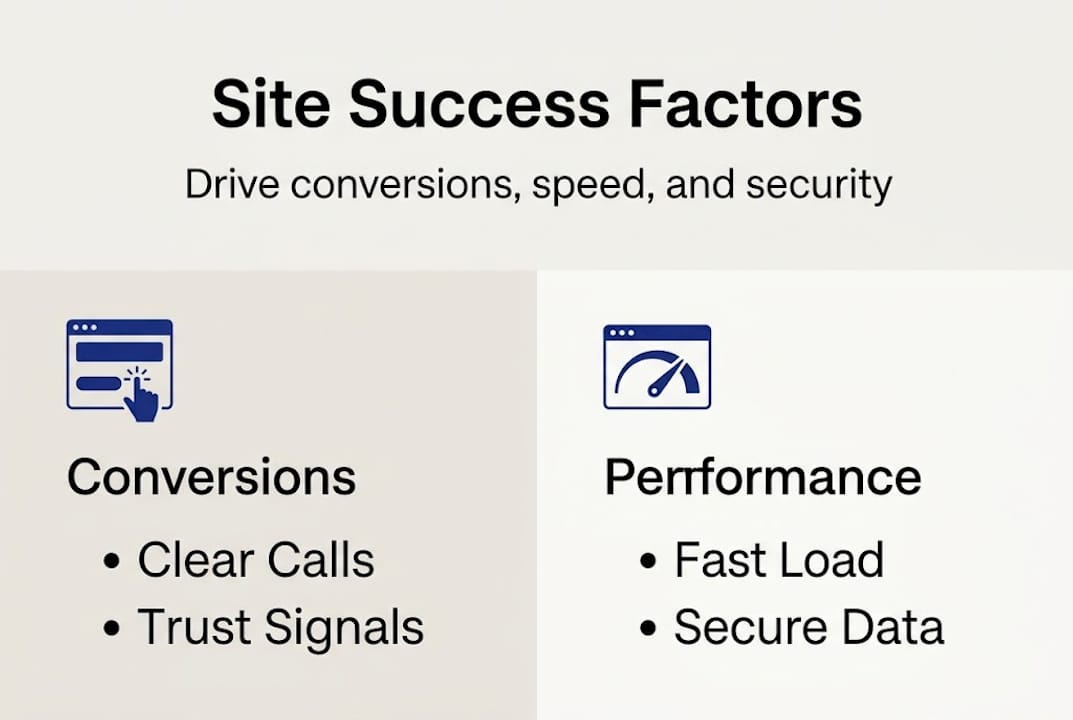
If you handle client intake forms, case inquiries, or any personal data, you also need a clear privacy policy page. For bilingual firms, publish this in both English and Spanish. Add a cookie consent notice that meets current standards. Legal clients are especially sensitive to how their information is handled, and showing you take it seriously builds confidence before the first call.
Launching, maintaining, and growing your site
With your foundation solid, set yourself up for reliable results and growth long-term. A site that launches well but gets ignored will decay fast.
Before you go live, run through this checklist:
- Submit a test form on every page to confirm they deliver to your inbox.
- View every page on a phone and a tablet. Fix anything that looks broken or hard to tap.
- Back up your entire site using a plugin like UpdraftPlus.
- Announce your launch via email, social media, and any community groups you belong to.
Pro Tip: Schedule a monthly maintenance window. Check for plugin and theme updates, review your analytics, and test your contact forms. Ongoing monitoring and updates are vital to website health. A “set it and forget it” mindset is one of the most common reasons small business sites stop performing.
Set up Google Analytics from day one. Track which pages get the most visits, where people drop off, and which calls to action get clicked. Adjust based on real behavior, not guesses.
For legal and Latino-owned businesses, online reviews are powerful. Ask satisfied clients to leave a Google review within 48 hours of a positive interaction. Feature those reviews on your site. New visitors trust peer voices more than any marketing copy.
If you run into technical questions, the WordPress support community is free, active, and available in multiple languages. And when it’s time to update WordPress safely, follow a tested process to avoid breaking your live site.
Why most small business WordPress sites underperform—and how you can do better
Here’s something most web design articles won’t tell you: the majority of small business WordPress sites fail not because of budget or technology, but because the owner stopped paying attention after launch.
We’ve worked with legal firms and Latino-owned businesses that had beautiful sites and zero leads. The common thread? No strategy behind the content, no feedback loop from actual clients, and no willingness to adjust. They built a site for themselves instead of for their audience.
Bilingual and legal firms have a genuine competitive edge available to them. Thoughtful Spanish-language content, culturally relevant imagery, and clear community engagement signals can set you apart from every generic law firm site in your market. That’s not a tech advantage. It’s a human one.
Don’t chase the latest WordPress features or trendy design styles. Master the basics: fast load times, clear calls to action, honest testimonials, and regular content updates. Then ask your clients what they needed when they first found you. Their answers will improve your site more than any plugin.
Real competitive advantage comes from understanding your market, not from flashy features. If you’re unsure where to start, get clarity on choosing the right agency to support your growth without wasting your budget.
Take your WordPress site further with expert support
Building a WordPress site yourself is absolutely possible, and this guide gives you the foundation to do it well. But there’s a point where expert support pays for itself fast.
At JDG Agency, we build high-performance WordPress websites for US businesses in the legal sector and Latino community. From faster load times to built-in SEO and conversion-focused design, we handle the technical heavy lifting so you can focus on clients. Whether you need a full build, a speed audit, or help with the upcoming WordPress 7.0 update, our team is ready. Visit JDG Agency to explore services built specifically for businesses like yours.
Frequently asked questions
Do I need to know how to code to build a WordPress website?
Non-coders can build a professional site using WordPress’s visual tools, themes, and plugins without writing a single line of code.
What’s the difference between WordPress.com and WordPress.org?
WordPress.com is hosted for you but limits customization, while WordPress.org is self-hosted and gives you full control over design, plugins, and performance.
How do I secure client information on my WordPress site?
Install an SSL certificate and update your plugins and themes regularly to protect sensitive client data from vulnerabilities.
How often should I update my WordPress site and plugins?
Check for updates at least monthly to keep your site secure, fast, and free from compatibility issues.
Can I add Spanish language features to my WordPress site?
Yes, you can add Spanish using bilingual themes or translation plugins like WPML or Polylang, making your site accessible to Spanish-speaking clients.
Recommended
- 7 Mistakes You’re Making with Your Website Redesign (And How to Fix Them) – Web Design, SEO, Hosting & Servers |
- WordPress 7.0 is Coming: 5 Steps to Update Your Site Without Breaking Everything – Web Design, SEO, Hosting & Servers |
- Stop Chasing Leads, Start Automating Them: How Integrated Chatbots are Changing the Conversion Game – Web Design, SEO, Hosting & Servers |
- Website Redesign Without Losing SEO: 7 Mistakes That Could Tank Your Rankings (And How to Fix Them) – Web Design, SEO, Hosting & Servers |